
Managing your money on Golds Bet is quick, safe, and easy. Whether you’re adding money to play or taking out your winnings, we’ve made the process simple for you.
Deposit Money into Golds Bet Game
✅ Login to Your Golds Bet Account
- Open the Golds Bet Game app.
- Enter your registered mobile number and password to log in.
✅ Navigate to Wallet Section
- Once logged in, find and tap on the “Wallet” or “Deposit” option in the main menu.
✅ Choose Your Payment Method
- Select Easypaisa or JazzCash as your preferred payment option.
- Ensure your mobile wallet is active and registered in your name.
✅ Enter Deposit Amount
- Type in the amount you want to deposit.
- Note: Minimum deposit may apply depending on the platform.
✅ Complete the Transaction
- Follow the app instructions to make the payment through your chosen mobile wallet.
- You’ll receive a confirmation SMS or notification once the payment is successful.
✅ Confirm Deposit
- After completing payment, go back to the Golds Bet Game app.
- Your wallet balance should update automatically within a few seconds.
Withdraw Money from Golds Bet Game
✅ Access Withdrawal Section
- Open the Golds Bet Game app and log into your account.
- Go to the “Withdraw” or “Cash Out” option from the menu.
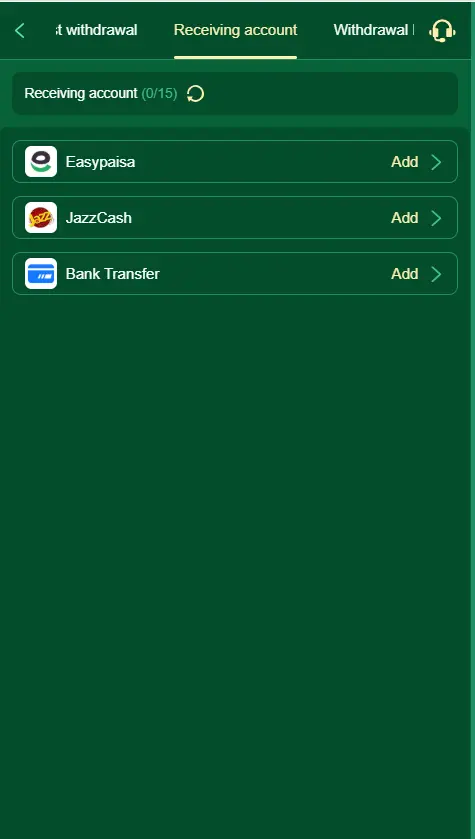
✅ Select Withdrawal Method
- Choose Easypaisa or JazzCash for withdrawal.
- Make sure the mobile number linked to your wallet is correct and active.
✅ Enter Withdrawal Amount
- Enter the amount you wish to withdraw.
- Take note of any minimum or maximum withdrawal limits.
✅ Confirm and Submit Request
- Double-check your withdrawal details.
- Tap “Confirm” or “Submit” to start the withdrawal process.
✅ Await Processing
- Your request will be processed by the system.
- Withdrawals are usually completed within 5 to 30 minutes, depending on network conditions.
Tips for Smooth Transactions
- Ensure Account Verification: Complete any KYC or account verification steps in the app to avoid delays.
- Use a Stable Internet Connection: Helps avoid errors or timeouts during transactions.
- Keep Wallet Apps Updated: Make sure your Easypaisa or JazzCash apps are up-to-date.
- Monitor Limits: Be aware of daily/monthly transaction limits set by your wallet provider.