

How to Check If an APK File Is Safe Before Installing?
Installing apps on Android is easy when you use the Google Play Store. But sometimes people download apps from other websites in APK format. An APK file is the installation file for Android apps. While this can be useful in some cases, it can also be risky.
In this detailed guide, you will learn how to check if an APK file is safe before installing it on your device. This guide focuses only on safety and awareness. It does not promote piracy or unsafe downloading. The goal is to help you protect your phone, your data, and your privacy.
Why APK Safety Matters?
When you install an app from the Play Store, Google checks it for harmful code. But when you download an APK from a website, there is no guarantee that it is safe. If you dont understand watch the video.
Unsafe APK files can:
- Steal your personal data
- Spy on your messages
- Access your banking information
- Show unwanted ads
- Install more harmful apps without permission
Many people think, It’s just one file. But one unsafe file can damage your device and even your financial security. That is why learning how to check if an APK file is safe before installing is very important.
Common Risks of Unsafe APK Files
Before you install any APK, you should understand the risks.
Malware Infection
Some APK files contain malware. Malware can:
- Track your activity
- Record your keystrokes
- Access your camera or microphone
This type of attack often happens silently.
Data Theft
Hackers can modify APK files to steal:
- Email passwords
- Social media accounts
- Banking details
- Saved contacts
Once your data is stolen, it is very hard to recover.
Ransomware
Some malicious APK files lock your device and ask for money to unlock it. This is called ransomware.
Hidden Spyware
Spyware runs in the background. You may not even notice it, but it can:
- Track your location
- Read your messages
- Monitor your calls
Fake or Modified Apps
Some APK files look like popular apps but are fake copies. These are often called modded apps. They may remove ads or unlock premium features, but they usually contain hidden risks.
How to Check If an APK File Is Safe Before Installing?
Now let’s go step by step.
Check the Source Website
The first and most important step in how to check if an APK file is safe before installing is checking where you downloaded it from. Goldsbetgames provide you safe and trusted games.
Ask yourself:
- Is this website well-known?
- Does it have HTTPS (a lock icon in the address bar)?
- Does it look professional?
- Are there too many pop-up ads?
Verify the Developer Name
Check:
- Who created the app?
- Is the developer name the same as the official one?
- Does the developer have a real website?
Compare With Google
Even if the app is not available in your country, you can still search for it on the Play Store.
Compare:
- App name
- Developer name
- App size
- Version number
- Screenshots
How to Use VirusTotal to Check APK Safety?
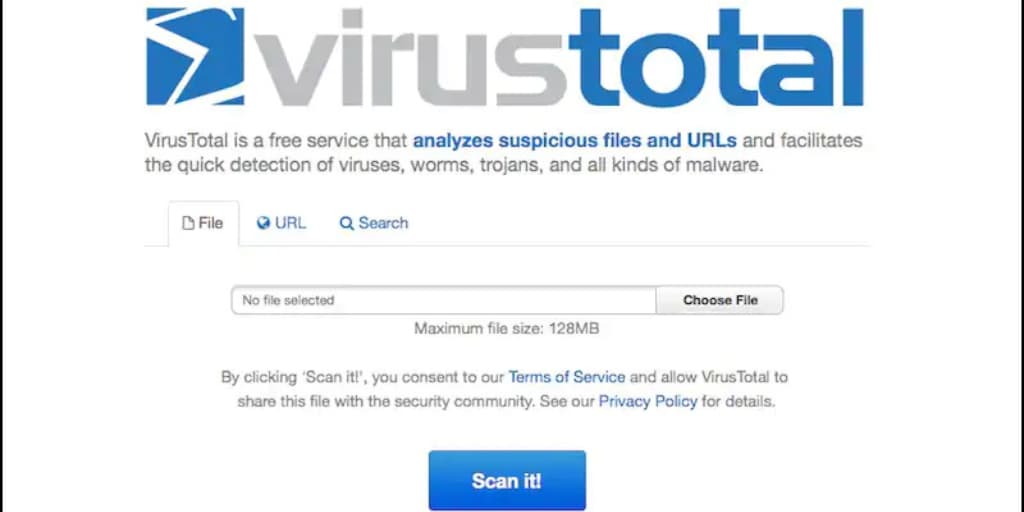
One of the best tools for checking APK safety is Virus Total.
What Is VirusTotal?
VirusTotal is a free online service that scans files using many antivirus engines.
It does not guarantee 100% safety, but it gives you a strong idea if something is suspicious.
How to Use VirusTotal?
- Go to the official VirusTotal website.
- Click on Choose file.
- Upload the APK file.
- Wait for the scan to complete.
- Review the results.
How to Read the Results?
- If 0/60 engines detect anything → It is likely safe.
- If 1–2 engines detect something → Could be false positive, but be cautious.
- If many engines detect malware → Do NOT install.
Using VirusTotal is one of the smartest ways in learning how to check if an APK file is safe before installing.
How to Check Permissions Manually?
Before installing an APK, Android shows the permissions the app is requesting.
Permissions are very important.
Common Permissions
- Camera
- Microphone
- Location
- Contacts
- SMS
- Storage
Ask Yourself These Questions
- Does a calculator app need access to contacts?
- Does a wallpaper app need SMS access?
- Does a game need microphone permission?
If permissions do not match the app’s purpose, it is a big red flag.
After installation, you can also:
- Go to Settings
- Open Apps
- Select the app
- Tap Permissions
Turn off any unnecessary permissions.
Check the APK File Details
Before installing:
- Check file size. Is it too small or too large?
- Check version number. Is it realistic?
- Check release date. Is it too old or strangely new?
Red Flags of Fake Download Websites
Here are common warning signs:
Too Many Pop Up Ads
If every click opens another tab, leave the site.
Fake Download Buttons
Some websites show many “Download” buttons. Only one is real; others are ads.
Forced Downloads
If the file downloads automatically without clicking, that is suspicious.
No Contact Information
Trusted websites usually have:
- About page
- Contact details
- Privacy policy
If none exist, be careful.
Modified or Unlocked Versions
If a website promises:
- Free premium access
- Unlimited coins
- No ads version
Check App Reviews and Community Feedback
Search the app name online.
Check:
- Reddit discussions
- Tech forums
- User complaints
- YouTube reviews
If many users report:
- Phone overheating
- Battery draining
- Data theft
Avoid the APK.
Community feedback can help you understand how to check if an APK file is safe before installing more clearly.
Tips for Protecting Your Android Device
Even if you are careful, you should always protect your device.
Keep Android Updated
System updates fix security problems. Always install official updates.
Use Google Play Protect
Google Play Protect scans apps automatically. Make sure it is enabled in settings.
Install a Trusted Antivirus App
A reliable mobile antivirus can provide extra protection.
Avoid Unknown Sources Setting
Only enable “Install unknown apps” when necessary. Turn it off after installing.
Do Not Store Sensitive Data in Unsafe Apps
Avoid entering:
- Banking details
- Credit card numbers
- Personal passwords
What to Do If You Installed a Suspicious APK?
If you think you installed a harmful APK:
- Disconnect from the internet.
- Uninstall the app immediately.
- Run an antivirus scan.
- Change important passwords.
- Monitor your bank accounts.
Frequently Asked Questions (FAQs)
Is downloading APK files illegal?
Downloading APK files is not always illegal. But downloading paid apps for free or pirated content is illegal and unsafe.
Is VirusTotal 100% accurate?
No tool is 100% perfect. VirusTotal gives strong signals but cannot guarantee total safety.
Are modded APK files safe?
Most modded APK files are risky because they are changed from the original version. Avoid them.
Can an APK steal my banking details?
Yes. If it contains spyware or malware, it can access sensitive information.
Is enabling Unknown Sources dangerous?
It is not dangerous by itself, but it allows installation from outside Play Store. Only enable it when necessary.
How can I tell if an APK is original?
Compare developer name, file size, and check with VirusTotal.
7. Should I always avoid APK files?
Not always. Some developers share official APK files. But you must carefully follow the steps in how to check if an APK file is safe before installing before installing anything.
Final Safety Recommendations
Your smartphone contains your personal life: photos, messages, banking apps, and private information. Installing one unsafe APK file can put everything at risk.
Always remember:
- Check the source website carefully
- Verify the developer
- Scan the file using VirusTotal
- Review permissions
- Avoid modified or cracked apps
- Keep your device updated